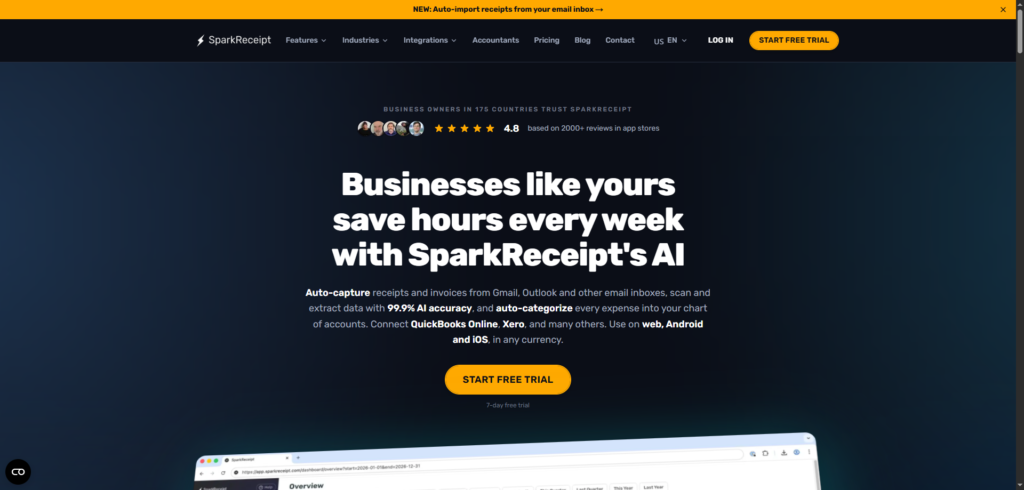
SparkReceipt Review 2026: The AI Expense Tracker Helping Small Businesses Eliminate Receipt Chaos
SparkReceipt Review: Every business owner knows the feeling. You’re preparing for tax season, reconciling expenses, or meeting with your accountant when you realise receipts are scattered everywhere—some are buried in email inboxes, some are sitting in a drawer, and a few have completely disappeared. What should be a straightforward bookkeeping process quickly turns into a frustrating hunt for paperwork.
This is exactly the problem SparkReceipt was built to solve.
Rather than manually entering expenses into spreadsheets or sorting through piles of receipts, SparkReceipt uses artificial intelligence to scan, organise, categorise, and manage financial documents automatically. From paper receipts and PDF invoices to email receipts and bank statements, the platform aims to streamline the entire pre-accounting process for freelancers, self-employed professionals, and small business owners.
In this SparkReceipt review, we’ll take a detailed look at its features, benefits, pricing, and whether it’s worth adding to your financial workflow in 2026.
Why Expense Tracking Is More Difficult Than It Should Be
Running a business involves far more than serving customers or delivering products.
Every purchase creates paperwork.
Whether it’s:
- Office supplies
- Software subscriptions
- Business travel
- Client lunches
- Marketing expenses
- Equipment purchases
- Contractor payments
Those transactions need to be recorded accurately.
Unfortunately, many small businesses still rely on outdated systems.
Some use spreadsheets. Others keep paper folders. Many simply save receipts in email inboxes and promise themselves they’ll organise everything later.
The result is often:
- Lost receipts
- Missed tax deductions
- Inaccurate expense records
- Time-consuming bookkeeping
- Stress during tax season
For business owners already juggling dozens of responsibilities, manual expense tracking can become a significant drain on productivity.
This growing challenge has fuelled demand for AI-powered expense management platforms like SparkReceipt.
What Is SparkReceipt?
SparkReceipt is an AI-powered receipt scanner, expense tracker, and document management platform designed to automate financial recordkeeping for small businesses and self-employed professionals.
Instead of manually entering receipt information, users can upload receipts, invoices, PDFs, email receipts, and bank statements. The platform then extracts important details automatically, including:
- Merchant name
- Transaction date
- Amount
- Tax information
- Currency
- Categories
- Line-item details
The extracted information is stored in a searchable cloud-based system, making it easy to track expenses and generate reports whenever needed.
Unlike traditional bookkeeping software that focuses heavily on accounting functions, SparkReceipt concentrates on the often-overlooked stage that happens before accounting—the collection, organisation, and categorisation of financial documents.
How SparkReceipt Works
One reason SparkReceipt has become popular among freelancers and small business owners is its simplicity.
Step 1: Capture Receipts
Users can submit receipts in several ways:
- Take a photo with a smartphone
- Upload PDFs
- Forward email receipts
- Connect email accounts
- Import bank statements
The platform supports both physical and digital documents.
Step 2: AI Extraction
SparkReceipt’s AI reads each document and automatically extracts important information.
Rather than requiring manual data entry, the system identifies the following:
- Vendors
- Dates
- Amounts
- Taxes
- Categories
- Line items
This significantly reduces administrative work.
Step 3: Automatic Organization
The platform categorises expenses and stores them in an organised database.
Users can filter information by:
- Date
- Category
- Project
- Client
- Vendor
- Status
This makes retrieval much easier later.
Step 4: Reporting and Exporting
When tax season arrives, or an accountant requests records, users can generate reports in just a few clicks.
Reports can be exported as:
- CSV
- Excel
The platform also supports integrations with accounting software.
SparkReceipt Review: Key Features
1. AI Receipt Scanning
The most important feature highlighted in this SparkReceipt review is its AI-powered scanning technology.
Users simply upload receipts, and the system extracts critical information automatically.
This eliminates one of the most repetitive tasks in expense management.
2. Email Receipt Automation
Many modern purchases never generate paper receipts.
SparkReceipt allows users to connect Gmail, Outlook, and other email providers so receipts can be imported automatically as they arrive.
3. Bank Statement Matching
A particularly useful feature is transaction reconciliation.
Users can upload bank or credit card statements, and the platform automatically matches transactions with stored receipts. This helps identify missing documents and ensures expenses remain accurate.
4. Line-Item Categorization
Not all expenses fit neatly into a single category.
SparkReceipt’s line-item categorisation feature allows users to break down receipts into individual expense categories.
For example, a hotel bill could be separated into the following:
- Accommodation
- Meals
- Parking
- Other charges
This provides greater reporting accuracy.
5. Multi-Currency Support
For businesses operating internationally, currency management can become complicated.
SparkReceipt supports multiple currencies and historical exchange rate calculations, making it easier to track international expenses accurately.
6. Accountant Collaboration
Instead of emailing receipts back and forth, users can invite accountants directly into the platform.
This creates a more efficient collaboration process while reducing administrative friction.
7. QuickBooks and Xero Integrations
Many small businesses already rely on accounting software.
SparkReceipt integrates with platforms such as QuickBooks Online and Xero, helping streamline bookkeeping workflows.
Benefits of Using SparkReceipt
Save Time Every Month
Manual receipt entry is tedious.
Automating the process can save several hours each month, particularly for freelancers and small businesses handling numerous transactions.
Reduce Human Error
Typing receipt details manually inevitably leads to mistakes.
AI extraction helps improve consistency and reduce data-entry errors.
Stay Organized Year-Round
Rather than scrambling during tax season, users maintain an organised expense database throughout the year.
Improve Tax Preparation
Well-organised records help ensure that deductible expenses aren’t forgotten or overlooked.
Simplify Accountant Handoffs
Providing accountants with structured reports and categorised expenses can dramatically reduce preparation time.
Who Should Use SparkReceipt?
Freelancers
Independent professionals often manage bookkeeping themselves.
SparkReceipt helps simplify that responsibility.
Self-Employed Professionals
Consultants, coaches, and contractors can keep business expenses organised without hiring dedicated administrative staff.
Small Business Owners
Business owners looking to reduce paperwork and improve financial organisation will likely find value in the platform.
Accountants and Bookkeepers
Professionals working with multiple clients can benefit from cleaner document collection and reporting workflows.
Remote Teams
Organisations managing expenses across multiple team members can centralise receipts and reports in one location.
SparkReceipt Pricing
SparkReceipt keeps pricing relatively straightforward.
According to the official pricing page, the Elite plan costs approximately $16.65 per month when billed annually ($199.98 per year) and includes:
- Unlimited documents
- Email receipt importing
- Mass uploads
- Bank statement extraction
- Line-item categorization
- Expense reports
- AI automations
- QuickBooks integration
- Accountant collaboration features
A 7-day free trial is also available for new users. Pricing may change over time, so it’s always best to verify current details directly through the official website.
Pros and Cons
Pros
- Fast AI receipt scanning
- Automatic categorization
- Email receipt automation
- Bank statement reconciliation
- QuickBooks and Xero integrations
- Multi-currency support
- Accountant collaboration tools
- Competitive pricing
Cons
- Advanced accounting functions still require dedicated accounting software
- AI extraction may occasionally require manual verification
- Larger enterprises may need more comprehensive financial platforms
Final Thoughts
After thoroughly evaluating its capabilities, SparkReceipt stands out as a practical and thoughtfully designed solution for expense management.
What makes the platform particularly appealing is its focus on eliminating administrative work rather than simply digitising it. Instead of forcing users to manually organise receipts, SparkReceipt uses AI to handle much of the process automatically—from scanning and categorisation to reconciliation and reporting.
For freelancers, consultants, self-employed professionals, and small business owners, that can translate into significant time savings and less stress during tax season.
While it isn’t intended to replace full accounting software, SparkReceipt fills an important gap between collecting financial documents and preparing accounting records.
If your current expense management process involves spreadsheets, folders, or overflowing email inboxes, SparkReceipt is certainly worth considering.
Frequently Asked Questions (FAQ)
What is SparkReceipt?
SparkReceipt is an AI-powered receipt scanner, expense tracker, and document management platform that helps users organise financial records automatically.
Does SparkReceipt work with email receipts?
Yes. Users can connect Gmail, Outlook, and other email providers to automatically import receipts.
Can SparkReceipt integrate with QuickBooks?
Yes. The platform supports QuickBooks Online integration as well as Xero exports.
Does SparkReceipt support multiple currencies?
Yes. The platform supports multiple currencies and historical exchange-rate calculations.
Who should use SparkReceipt?
Freelancers, self-employed professionals, accountants, bookkeepers, and small business owners can all benefit from its automation features.
Is SparkReceipt worth it?
For businesses looking to reduce manual expense tracking, improve organisation, and simplify tax preparation, SparkReceipt offers a compelling combination of AI automation, reporting tools, and accounting integrations.