Chatling Review 2026: The AI Chatbot Platform for Customer Support, Lead Generation, and Business Automation
Customer expectations have changed.
People want immediate answers when they visit a website. They do not want to wait for email responses or spend time searching through documentation. Whether they are evaluating a product, looking for support, or trying to complete a purchase, speed matters.
For businesses, meeting these expectations can be difficult. Hiring larger support teams increases costs, while traditional live chat systems often require agents to be available around the clock.
AI chatbots have emerged as a practical solution.
Modern chatbots can answer questions, guide visitors, collect leads, and provide support without requiring constant human involvement. They can handle thousands of conversations simultaneously while maintaining a consistent customer experience.
This is where Chatling comes in.
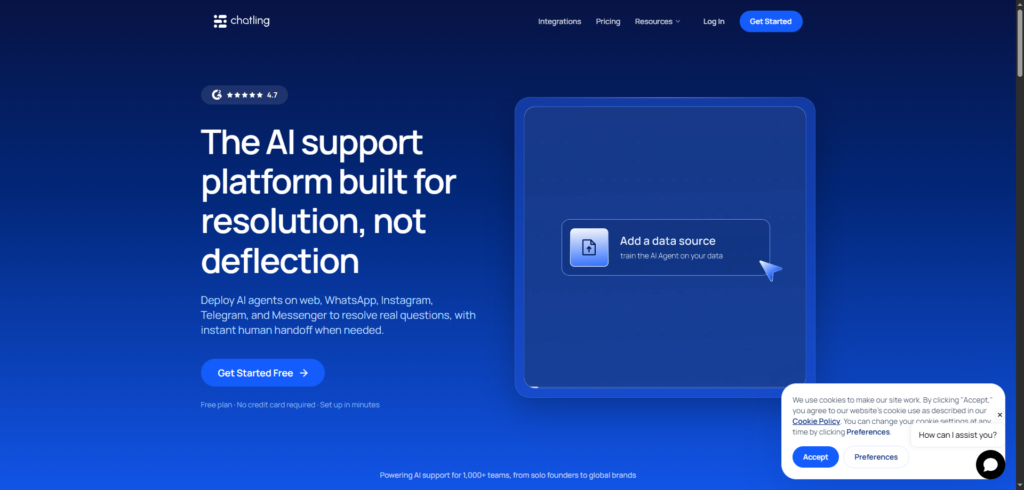
Chatling is an AI chatbot platform that enables businesses to build custom chatbots trained on their own content. Instead of relying on scripted responses, the platform uses artificial intelligence to understand questions and generate answers based on company knowledge sources.
In this Chatling review, we’ll examine how the platform works, its features, pricing, benefits, and whether it is worth using in 2026.
Why AI Chatbots Are Becoming Essential
Businesses are managing more customer interactions than ever.
Website visitors often have questions about:
- Products
- Services
- Pricing
- Features
- Policies
- Documentation
- Technical support
- Account management
Answering these inquiries manually consumes significant time and resources.
At the same time, customers increasingly expect instant responses.
This creates several challenges:
- Growing support workloads
- Higher staffing costs
- Longer response times
- Inconsistent customer experiences
- Lost sales opportunities
AI chatbots help address these issues by automating routine conversations while remaining available 24/7.
As AI technology improves, chatbots are becoming capable of handling far more than simple frequently asked questions.
What Is Chatling?
Chatling is an AI-powered chatbot builder designed to help businesses create conversational assistants trained on their own data.
The platform allows organizations to build chatbots without coding and deploy them across websites and customer-facing channels.
Its capabilities include:
- AI-powered conversations
- Knowledge base integration
- Website chatbots
- Lead generation
- Customer support automation
- Multi-language support
- Analytics and reporting
- Custom branding
Rather than requiring businesses to manually create hundreds of chatbot responses, Chatling learns from uploaded content and generates answers automatically.
The platform is designed for:
- SaaS companies
- Ecommerce businesses
- Agencies
- Educational organisations
- Service providers
- Startups
- Consultants
- Online businesses
Its primary goal is to improve customer engagement while reducing support workloads.
How Chatling Works
The platform focuses on making chatbot creation accessible to non-technical users.
Step 1: Upload Business Content
Users provide information that will train the chatbot.
Sources may include:
- Websites
- Help centres
- PDFs
- Documentation
- FAQs
- Knowledge bases
This content becomes the chatbot’s knowledge source.
Step 2: Train the AI
The platform processes the uploaded information and creates a chatbot capable of answering questions based on the supplied data.
This eliminates the need to write responses manually.
Step 3: Customise the Chatbot
Users can customize:
- Branding
- Colours
- Chat widget appearance
- Welcome messages
- Behaviour settings
This helps ensure consistency with the company brand.
Step 4: Deploy the Chatbot
The chatbot can be added to a website and begin interacting with visitors immediately.
Once deployed, it can answer questions, provide information, and support customers automatically.
Chatling Review: Key Features
1. AI-Powered Chatbot Builder
The platform’s core feature is its chatbot creation system.
Businesses can build intelligent conversational assistants without coding or machine learning expertise.
This makes AI adoption more accessible for smaller teams.
2. Train on Your Own Data
One of Chatling’s strongest features is custom training.
Instead of relying on generic information, chatbots are trained using company-specific content.
This improves accuracy and relevance.
Training sources can include the following:
- Documentation
- Help articles
- PDFs
- Websites
- Internal resources
3. Website Integration
The platform allows businesses to deploy chatbots directly on their websites.
Visitors can interact with the chatbot through an embedded chat widget.
This creates a seamless customer experience.
4. Customer Support Automation
Many support inquiries involve repetitive questions.
Chatling helps automate responses to common requests, reducing the workload placed on support teams.
Examples include:
- Product questions
- Feature explanations
- Account enquiries
- Policy information
- Troubleshooting guidance
5. Lead Generation
Beyond support, the platform can assist with lead capture.
Chatbots can engage visitors, collect information, and identify potential customers before routing them to sales teams.
This helps businesses turn website traffic into opportunities.
6. Multi-Language Support
Businesses often serve customers from different regions.
Multilingual capabilities allow organizations to support a broader audience without creating separate support systems.
7. Custom Branding
Companies can customize the chatbot’s appearance to match their brand identity.
Brand consistency helps maintain trust and professionalism throughout customer interactions.
8. Analytics and Reporting
Understanding chatbot performance is essential.
The platform provides reporting tools that help businesses monitor the following:
- Conversations
- Engagement levels
- Popular questions
- User interactions
- Support trends
These insights can help improve both chatbot performance and customer experience.
9. Human Handoff Capabilities
While AI can automate many conversations, some situations still require human assistance.
The platform supports escalation workflows that allow customers to connect with human representatives when necessary.
Benefits of Using Chatling
Improve Response Times
Customers receive answers immediately rather than waiting for support teams.
Reduce Support Costs
Automation can reduce the number of repetitive inquiries handled by staff.
Increase Availability
Chatbots operate continuously without business-hour limitations.
Improve Customer Experience
Fast and consistent responses often lead to higher customer satisfaction.
Capture More Leads
Visitors can engage with the chatbot at any stage of the buying journey.
Scale Customer Support
The platform can manage multiple conversations simultaneously without increasing staffing requirements.
Who Should Use Chatling?
SaaS Companies
Software businesses can automate onboarding, support, and product-related questions.
E-commerce Stores
Online retailers can answer customer questions and guide purchasing decisions.
Agencies
Agencies can deploy chatbots for multiple clients while reducing support overhead.
Educational Organisations
Schools, training providers, and online learning platforms can provide instant information to students.
Service Businesses
Consultants, agencies, and professional service firms can automate initial customer inquiries.
Startups
Growing businesses can improve support coverage without hiring large teams.
Chatling Pricing
Chatling offers multiple subscription plans designed for businesses of different sizes.
Plans generally vary based on:
- Number of chatbots
- Monthly message volume
- Training data limits
- Team access
- Advanced features
- Integration capabilities
Because pricing and feature availability can change, businesses should review the official website for the latest information before making a decision.
Pros and Cons
Pros
- No-code chatbot builder
- Train using business-specific data
- Customer support automation
- Lead generation capabilities
- Website integration
- Multi-language support
- Custom branding options
- Analytics and reporting
Cons
- Advanced functionality may require higher-tier plans
- AI responses depend on training quality
- Complex enquiries may still require human intervention
- Initial setup requires organised content sources
How Chatling Supports Business Growth
Many businesses view chatbots solely as support tools.
In reality, modern AI chatbots can contribute across multiple departments.
Customer Support
Provide instant responses and reduce ticket volume.
Sales Assistance
Guide prospects through products and services.
Lead Qualification
Identify high-intent visitors and collect relevant information.
Customer Education
Help users find documentation and resources quickly.
Operational Efficiency
Reduce repetitive work for support and sales teams.
This broader value proposition makes AI chatbots increasingly attractive to organizations seeking scalable growth.
Chatling vs Traditional Live Chat
Traditional live chat systems depend heavily on human agents.
While effective, they present several limitations:
- Staffing requirements
- Operating hours
- Response delays
- Scaling challenges
Chatling automates many conversations while remaining available at all times.
Human agents can focus on complex cases while the chatbot handles routine interactions.
For many businesses, this creates a more efficient support model.
Final Thoughts
Customer expectations continue to rise, while businesses face pressure to provide faster and more efficient support.
AI chatbots are becoming a standard solution for managing customer conversations, reducing workloads, and improving response times.
Chatling simplifies chatbot creation by allowing businesses to train AI assistants using their own content and deploy them without coding. Its combination of customer support automation, lead generation, analytics, and custom training capabilities makes it a practical option for organizations seeking to improve customer engagement.
For SaaS companies, e-commerce businesses, agencies, educational organizations, and service providers, Chatling is a platform worth considering in 2026.
Frequently Asked Questions (FAQ)
What is Chatling?
Chatling is an AI chatbot platform that enables businesses to create custom chatbots trained on their own content and knowledge sources.
Who should use Chatling?
SaaS companies, e-commerce businesses, agencies, service providers, startups, and educational organizations can benefit from the platform.
Can Chatling be trained on company data?
Yes. Users can train chatbots using websites, documents, FAQs, PDFs, and other business resources.
Does Chatling support lead generation?
Yes. The platform can engage visitors, collect information, and help identify potential customers.
Can Chatling automate customer support?
Yes. It can answer common questions and reduce repetitive support workloads.
Is Chatling worth it?
For businesses seeking to automate customer interactions, improve response times, and provide 24/7 support, Chatling offers a practical and scalable AI chatbot solution.