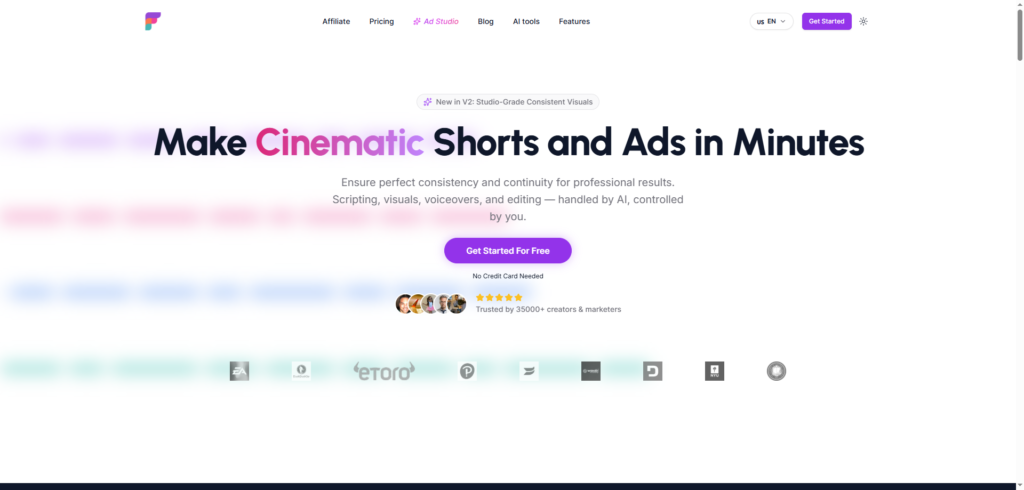
Frameloop Review 2026: The AI Video Generator for Faceless Content, Ads, and Social Media Growth
Frameloop Review: Creating high-quality videos used to require scripting, editing skills, voiceover recording, and hours of post-production work. Today, AI video tools are changing that process entirely. Frameloop is one of the newer platforms helping creators, marketers, and business owners turn ideas into professional-looking videos in a fraction of the time. Whether you’re building a faceless YouTube channel, creating short-form content for social media, or producing product ads, Frameloop aims to simplify the entire workflow. In this Frameloop review, we’ll explore its features, benefits, pricing, and whether it’s worth using in 2026.
Why Video Content Matters More Than Ever
Video has become the dominant format across nearly every major platform.
Today, businesses and creators publish content on:
- YouTube
- TikTok
- Instagram Reels
- X
The challenge is that producing consistent video content can be incredibly time-consuming.
Many creators struggle with:
- Script writing
- Finding visuals
- Recording voiceovers
- Editing footage
- Adding captions
- Maintaining consistent branding
As a result, AI-powered video creation platforms have become increasingly popular. They help creators produce more content without needing a full production team. Frameloop was designed specifically for this purpose.
What Is Frameloop?
Frameloop is an AI-powered video creation platform that helps users generate videos from text prompts, scripts, and media assets. The platform handles much of the production process automatically, including scripting, visuals, voiceovers, captions, and editing. At the same time, it gives users control over individual scenes and creative elements.
Unlike some AI video generators that only focus on creating a quick draft, Frameloop emphasizes refinement and scene-level editing, making it easier to create videos that actually feel polished and publishable.
The platform is designed for:
- Content creators
- YouTubers
- Social media managers
- Digital marketers
- E-commerce businesses
- Agencies
- Entrepreneurs
How Frameloop Works
One reason the platform feels approachable is that it follows a straightforward workflow.
Step 1: Start with an Idea or Script
Users can enter a text prompt, upload a script, or provide product information.
The AI uses this input to generate a video structure automatically.
Step 2: Generate Visuals and Voiceovers
The platform creates scenes, visuals, voiceovers, captions, and transitions based on the content provided.
Instead of searching for assets manually, much of the creative work happens automatically.
Step 3: Edit Scene by Scene
A standout feature of Frameloop is its scene-based editor.
Rather than redoing an entire video because one section isn’t quite right, users can edit individual scenes, visuals, captions, and voiceovers independently. This makes iteration much faster.
Step 4: Export and Publish
Once the video is ready, users can export it for social media platforms or publish directly to supported channels.
Frameloop Review: Key Features
1. AI Video Generation
The core feature highlighted in this Frameloop review is its ability to generate complete videos from simple text inputs.
Instead of spending hours editing, users can create a first draft in minutes.
2. Scene-Based Editing
Many AI video tools generate content but offer limited editing flexibility.
Frameloop’s scene-first workflow allows creators to adjust specific parts of a video without affecting the entire project.
3. AI Voiceovers
The platform generates voiceovers automatically, helping creators produce narrated content without recording audio themselves.
4. Faceless Video Creation
Faceless videos continue to grow in popularity across YouTube Shorts, TikTok, and Instagram Reels.
Frameloop includes tools specifically designed for creating this style of content efficiently.
5. Product Ad Creation
Businesses can transform product images and descriptions into promotional videos suitable for marketing campaigns and social media advertising.
6. Multi-Language Support
Users can create videos in multiple languages, making the platform useful for businesses and creators targeting international audiences.
7. Consistent Visual Generation
One challenge with AI video creation is maintaining consistency across scenes.
Frameloop focuses heavily on visual continuity, helping creators produce videos that feel more professional and coherent.
Benefits of Using Frameloop
Save Significant Production Time
Tasks that normally require scripting, editing, voice recording, and asset collection can be completed much faster.
Create More Content
Because the production process is streamlined, creators can publish more frequently without dramatically increasing workload.
Reduce Editing Complexity
The scene-based workflow makes revisions less frustrating compared to traditional editing software.
Improve Content Consistency
Maintaining consistent visuals and branding becomes easier when much of the process is centralized in one platform.
Support Multiple Use Cases
Whether users need educational videos, social media content, faceless channels, or product advertisements, the platform offers flexibility across different content formats.
Who Should Use Frameloop?
Content Creators
Creators looking to scale video production can benefit from automation and faster workflows.
YouTubers
Faceless channel operators may find the platform particularly useful for producing Shorts and long-form content.
Digital Marketers
Marketing teams can quickly create promotional videos and social content.
E-commerce Businesses
Product videos can be generated without requiring extensive production resources.
Agencies
Agencies managing multiple clients can use automation to increase production capacity.
Frameloop Pricing
Frameloop offers a free plan that allows users to explore the platform before upgrading. Paid plans provide additional credits, enhanced creation capabilities, and more advanced workflow features. Pricing and plan structures may change over time, so it’s always best to review the latest details directly on the official website before subscribing.
Pros and Cons
Pros
- Fast AI video generation
- Scene-based editing workflow
- AI-generated voiceovers
- Supports faceless videos
- Product ad creation tools
- Multi-language support
- Beginner-friendly interface
Cons
- Advanced projects may still require manual editing
- AI-generated visuals can occasionally need refinement
- Heavy users may consume credits quickly
Final Thoughts
After exploring its capabilities, Frameloop stands out as a practical AI video platform for creators who want more than a simple text-to-video generator.
What makes it particularly appealing is the balance between automation and creative control. The platform handles much of the repetitive work involved in video production while still allowing users to fine-tune scenes and maintain creative direction.
For creators, marketers, agencies, and business owners looking to produce professional-looking videos without spending countless hours editing, Frameloop is definitely worth considering.
Frequently Asked Questions (FAQ)
What is Frameloop?
Frameloop is an AI-powered video creation platform that helps users generate videos, voiceovers, visuals, captions, and edits from simple prompts and scripts.
Does Frameloop support faceless videos?
Yes. The platform includes tools specifically designed for creating faceless content for platforms like YouTube Shorts, TikTok, and Instagram Reels.
Can I edit videos after AI generation?
Yes. Frameloop provides a scene-based editor that allows users to modify individual sections of a video without rebuilding the entire project.
Who should use Frameloop?
Content creators, marketers, agencies, YouTubers, and businesses can all benefit from its AI-powered video production capabilities.
Does Frameloop support multiple languages?
Yes. The platform supports video creation in multiple languages for global audiences.
Is Frameloop worth it?
For users looking to speed up video production while maintaining creative control, Frameloop offers a strong combination of AI automation and editing flexibility.