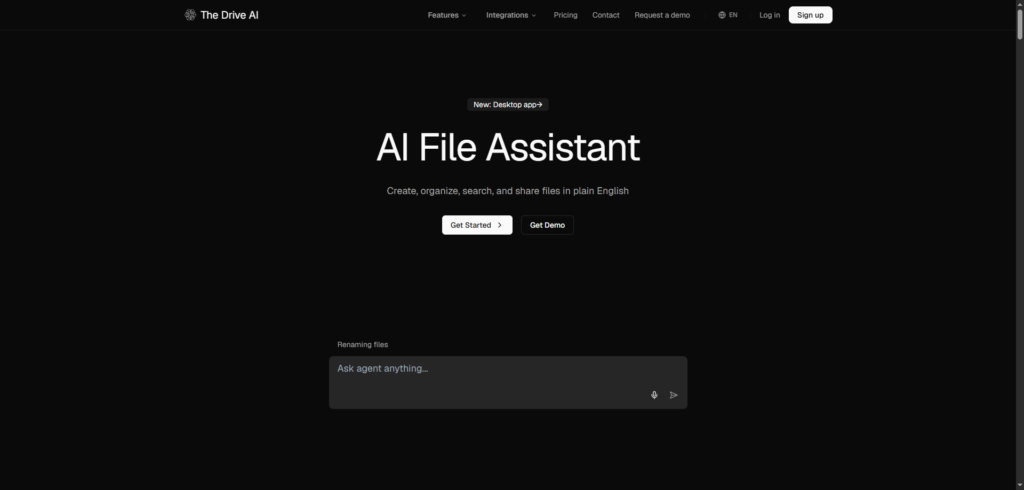
The Drive AI Review 2026: The AI File Management Platform That Organises, Searches, and Understands Your Documents
The Drive AI Review: Managing digital files should be simple, yet for many individuals and businesses, it becomes increasingly difficult as document libraries grow.
Important contracts disappear into forgotten folders. Research papers become buried under hundreds of downloads. Team members waste time searching for files that should take seconds to locate.
Traditional cloud storage platforms solve the problem of storing files, but they still rely heavily on manual organization. Users must create folder structures, name documents consistently, and remember where everything is stored.
The Drive AI approaches document management differently.
Rather than acting as a conventional storage service, it uses artificial intelligence to understand file contents, organize documents automatically, and allow users to interact with their files using natural language. Instead of searching for filenames, users can search for information contained within their documents and let AI handle much of the organizational work.
In this The Drive AI review, we’ll explore how the platform works, its key features, pricing, benefits, and whether it’s worth using in 2026.
Why Traditional File Organisation No Longer Scales
Most people start with a simple folder system.
As files accumulate, however, organization becomes increasingly complicated.
Common challenges include:
- Lost documents
- Duplicate files
- Inconsistent naming conventions
- Cluttered folder structures
- Time-consuming searches
- Scattered information across platforms
- Manual document management
The problem isn’t usually storage capacity.
The real challenge is finding information quickly when it is needed.
The Drive AI was created to solve this issue by allowing artificial intelligence to analyze, categorize, and organize files automatically based on their content rather than relying solely on folder structures and filenames.
What Is Drive AI?
Drive AI is an AI-powered document management and workspace platform designed to help users create, organize, search, and share files using natural language.
The platform combines:
- AI file organisation
- Content-aware search
- Document creation tools
- Team collaboration
- AI document assistants
- Automated workflows
- Intelligent knowledge management
Unlike traditional storage services, the system reads and understands uploaded documents, enabling users to interact with their files more conversationally.
It supports a wide range of content, including:
- PDFs
- Word documents
- Spreadsheets
- Images
- Scanned documents
- Audio files
- Video files
This flexibility makes it suitable for both personal and professional use cases.
How The Drive AI Works
One of the platform’s biggest strengths is its simplicity.
Step 1: Connect Your Files
Users can upload documents, drag and drop files, or connect existing storage sources.
Everything is brought into a central workspace for analysis.
Step 2: AI Analyses Content
The platform reads document contents rather than relying only on filenames.
It identifies topics, categories, document types, and relationships between files.
Step 3: Automatic Organisation
Files can be automatically:
- Tagged
- Renamed
- Categorised
- Sorted into folders
This significantly reduces manual organisation work.
Step 4: Search and Interact
Users can ask questions in plain English and search by document content.
Instead of remembering where a file was stored, users can simply describe what they are looking for.
The Drive AI Review: Key Features
1. AI File Organisation
The platform’s standout capability is automatic document organisation.
The AI reads uploaded files and intelligently creates structure based on content, reducing the need for manual folder management.
2. Content-Based Search
Traditional search systems often depend on filenames and metadata.
The Drive AI allows users to search using concepts, topics, and natural language descriptions.
This can dramatically improve file retrieval.
3. AI File Assistant
Users can interact directly with their documents through an AI assistant.
The assistant can answer questions, surface relevant files, and extract information from stored documents.
4. Natural Language File Management
Instead of navigating menus and settings, users can instruct the platform using plain English.
Tasks such as organizing files, creating folders, and generating documents can be completed through conversational commands.
5. Team Collaboration Workspace
The platform supports shared workspaces and granular permission controls.
Teams can collaborate on documents while maintaining secure access management.
6. Integration with Existing Storage
Users do not necessarily need to abandon their existing storage systems.
The platform can connect with services such as Google Drive and add AI-powered organization on top of existing file libraries.
7. Multi-Platform Access
The Drive AI is available through web, mobile, and desktop experiences, making it accessible across different devices and workflows.
Benefits of Using The Drive AI
Save Time Searching for Information
Content-aware search makes locating files significantly faster than manually browsing folders.
Reduce Organisational Overhead
Automatic categorization helps users maintain structured document libraries without constant maintenance.
Improve Team Productivity
Shared workspaces and AI-powered organization help teams spend less time managing documents and more time working with them.
Enhance Knowledge Management
Documents become searchable knowledge assets rather than static files stored in folders.
Scale More Efficiently
As file volumes increase, the platform continues organizing content automatically, reducing the burden of growth.
Who Should Use Drive AI?
Students
Students can organize lecture notes, assignments, and research materials more effectively.
Researchers
Researchers handling large document collections can benefit from AI-powered search and organization.
Small Businesses
Growing businesses can centralize and manage company documents more efficiently.
Professional Services Firms
Legal, accounting, consulting, and property management teams can automate document workflows.
Knowledge Workers
Anyone dealing with large amounts of information can benefit from faster document access and organization.
The Drive AI Pricing
According to the platform, a free plan is available that includes:
- AI file organisation
- Content-based search
- Document creation tools
- Mobile and desktop access
Premium plans add:
- Additional storage
- Email integrations
- Advanced AI models
- Enhanced workspace capabilities
- Team collaboration features
Pricing and plan details may change over time, so users should always review the official website for the latest information.
Pros and Cons
Pros
- AI-powered file organisation
- Content-aware search
- Natural language file management
- AI assistant functionality
- Integration with existing storage platforms
- Team collaboration features
- Free plan available
- Supports multiple file types
Cons
- Advanced features require paid plans
- Internet connection needed for most AI functions
- Learning curve for users accustomed to traditional folders
- Newer platform compared to established storage providers
Final Thoughts
The Drive AI represents a significant shift in how digital files are managed.
Rather than treating storage as a passive repository, the platform actively understands, organizes, and retrieves information on behalf of users. This reduces the time spent searching for files and maintaining folder structures while making large document collections easier to manage.
Its combination of automatic organization, AI-powered search, document intelligence, collaboration tools, and natural language interaction makes it a compelling option for individuals and teams seeking a smarter approach to document management.
For users frustrated by cluttered folders and inefficient search systems, The Drive AI is certainly worth exploring.
Frequently Asked Questions (FAQ)
What is The Drive AI?
The Drive AI is an AI-powered document management platform that automatically organizes, searches, and manages files using content-aware intelligence.
How does The Drive AI organize files?
The platform reads document contents, analyzes context, and automatically categorizes, renames, and organizes files into logical structures.
Can Drive AI search inside documents?
Yes. Users can search based on document contents rather than relying solely on filenames or folders.
Does The Drive AI work with Google Drive?
Yes. The platform can connect to Google Drive and add AI-powered organization on top of existing storage.
Is there a free version?
Yes. The platform offers a free plan that includes core file management and AI organization features.
Is The Drive AI worth it?
For users who regularly work with large numbers of documents and want faster access to information, The Drive AI offers a modern and intelligent alternative to traditional file management systems.